
Your bag is empty
Don't miss out on great deals! Start shopping or Sign in to view products added.
Shop What's New Sign in£21.30 Save:£7.00(24%)
Available in stock
| ISBN-13: | 979-8871711088 |
|---|---|
| Publication date: | 13 Dec. 2023 |
| Language: | English |
| Dimensions: | 20.96 x 1.24 x 27.94 cm |
| Print length: | 131 pages |
 Invincible Compendium Volume 2 (INVINCIBLE COMPENDIUM TP)
£35.41
Invincible Compendium Volume 2 (INVINCIBLE COMPENDIUM TP)
£35.41
 The New GCSE Arabic Companion (9-1)
£23.75
The New GCSE Arabic Companion (9-1)
£23.75
 Of Mice and Men (New Longman Literature - Plain Edition)
£2.92
Of Mice and Men (New Longman Literature - Plain Edition)
£2.92
 The Red Rising Series Collection 5 Books Set By Pierce Brown (Red Rising, Golden Son, Morning Star, Iron Gold, Dark Age)
£18.67
The Red Rising Series Collection 5 Books Set By Pierce Brown (Red Rising, Golden Son, Morning Star, Iron Gold, Dark Age)
£18.67
 Dead Girls Don't Talk - Amazon Exclusive Edition: A YA thriller about a murdered girl, but if you flip over the book you can read from the killer's POV.
£12.54
Dead Girls Don't Talk - Amazon Exclusive Edition: A YA thriller about a murdered girl, but if you flip over the book you can read from the killer's POV.
£12.54
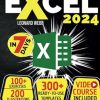
Master Excel Even If You’re a Complete Beginner! Do you panic when you receive complex spreadsheets? Would you like to be the office Excel guru, the go-to person everyone seeks when they hit a snag? If that’s the case, you’re in the right place. Many believe Excel is hard to learn, and indeed, it’s no easy feat without proper guidance . You could watch some videos online, but a structured approach is necessary for effective and speedy learning . Thanks to this book, hundreds of beginners have learned to use Excel like professionals (check out the reviews, you’ll find many fully satisfied readers). In this book, you’ll find a well-structured learning path facilitated by 200 images and over 100 exercises that will help you with every topic covered, even if you’re confused and just starting out . Here’s what you’ll learn in 7 days: ✅ Day 1 – Excel Basics : we’ll start with the essentials and set up your first spreadsheet together ✅ Day 2 – Data Entry and Management : we’ll learn how to insert and edit data in an Excel file , and we’ll discover strategies to save a tremendous amount of time and avoid data entry errors. ✅ Day 3 – Organizing Data : we’ll learn how to quickly sort and filter data , and understand how to highlight the most important information from the rest. ✅ Day 4 – Customizing the Spreadsheet : we’ll learn to “”drive”” and “”force”” data entry for a professional spreadsheet. We’ll learn to create dynamic and colorful sheets that are functional yet visually appealing. ✅ Day 5 – Functions and Formulas : we’ll start with basic functions, then move on to advanced ones . For each formula, we’ll have an example and an explanatory image. ✅ Day 6 – Understanding Tables : we’ll learn how data tables function, and how to effortlessly organize large amounts of information . ✅ Day 7 – Creating Charts : we’ll learn to create incredibly professional charts with just a few clicks . We’ll also reveal 50 keyboard shortcuts that will save you a mountain of time. The path is designed to enable anyone to learn to use Excel professionally, even starting from scratch . You’ll also gain access to three fantastic bonuses: BONUS #1: over 300 ready-to-use Excel templates (project management, household cash flows, inventory, etc.) BONUS #2 : A detailed step-by-step tutorial , through which you’ll create your first complex spreadsheet (we’ll create an Excel file for managing family budget together) BONUS #3 : A complete video course , accessible anywhere and anytime, to consolidate your Excel knowledge . We can’t wait to have you on board to bring you to a professional level of Excel knowledge! ✅ Click “”Buy Now”” and start your journey now. – ASIN: B0CQ5H71C5 | ISBN13: 9798871711088 | ISBN-13: 979-8871711088
You must be logged in to post a review.


Reviews
There are no reviews yet.